


Daily Spider Solitaire Classic
4.91.02K Reviews
App Specs
- Version
- 17.1.085
- Updated On
- License
- Free
- Downloads
- 1,000,000+
- Developer
- Big Cake
- Categories
- Card
- Platform
- Android, iOS
Screenshots
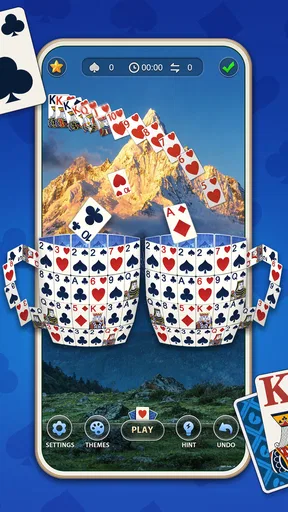
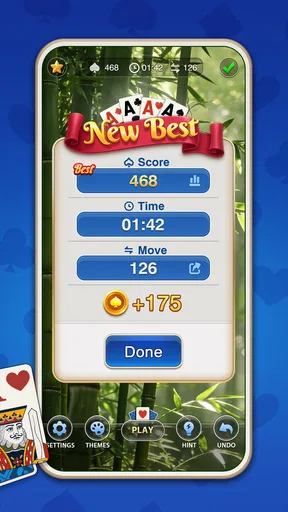
 Analysis by AppCompare
When I judge a free card game, I start with a simple question: does it give me a good reason to return, or does “free” merely mean a long wait before the next interruption? Daily Spider Solitaire Classic is aimed at people who want Spider Solitaire close at hand, and its appeal rests on a familiar, focused card-game routine rather than a big collection of unrelated activities. I’d consider it for short breaks, quiet evenings, or any spare moment when I want something more thoughtful than tapping through a basic matching game.
What free access tells you—and what it does not
The game is free to download, so you can try it without paying upfront. It is made by Big Cake, is rated for Everyone, and its current version is 17.0.29. The game has a 4.9 average from around 38,000 ratings and more than a million installs, which suggests that many players have chosen to give this particular solitaire game a try. Those figures are useful context, but they don’t tell me whether its style or pace will suit you; a few rounds are a better test.
There are in-app purchases, with items priced from $1.99 to $9.99. That is the clearest cost boundary to keep in mind: starting is free, while optional spending is part of the experience. I would not treat the existence of purchases as proof that you need to buy anything. If you are deciding whether to install it, first see how it feels to play and whether the free version fits your routine. The purchase range gives you a sense of the listed options, but it is not a promise that any particular purchase will improve your enjoyment.
Where the value comes from
Spider Solitaire rewards planning more than speed. A useful turn can involve uncovering a hidden card, freeing a column, or arranging a sequence so that a later move remains possible. That makes the game a good fit when I want a small mental puzzle without learning a complicated ruleset. It can feel calming, but it is not completely passive: I still have to weigh whether an immediate move will leave the tableau in a worse position.
The title and card-game format make this a more focused choice than a broad casual-game collection. If you already know Spider Solitaire, you can get to the central appeal without first learning a new game world. If you are new to it, the most helpful habit is to pause before dealing more cards and check whether you can expose a face-down card or create an empty column first. That little bit of forethought often matters more than moving cards quickly.
Trade-offs to weigh before you settle in
Spider Solitaire is not a game where every deal feels equally forgiving. A difficult layout can call for patience, and sometimes the satisfying part is finding a better sequence rather than clearing the board quickly. If you prefer games with a story, frequent surprises, direct competition, or rapid rounds with a clear finish every time, this may feel repetitive. Its strength is also its limit: it stays centered on a traditional card puzzle.
Cost is another practical trade-off. You can begin without paying, but the presence of purchases means I would check what an item does and whether I actually want it before spending. The price range alone cannot tell you which option, if any, is worthwhile for your habits. I’d also keep expectations grounded: a high average rating and a sizeable player base are encouraging, but neither guarantees that the interface, challenge, or pace will be your personal favorite.
Worth Reading Before You Choose

Baby Panda World Brings Quick Play to Modern Phones, but Its Game Library Feels Busy

ESPN’s Live Game View Makes Following Close Games Easier

QuizzLand Review: A Good Fit for Short Trivia Breaks, Not Every Player

Basketball Stars: Multiplayer Is Fast, but Can It Recover When Matches Go Wrong?

WEBTOON Turns Phone Updates Into a Better Reading Routine

Link to Windows Runs on Shared Habits, Not Social Feeds
Who is most likely to enjoy it?
I can see this working especially well for someone who already enjoys solitaire and wants a phone-friendly way to play without setting up a physical deck. It also suits a beginner willing to learn through repeated hands, since the underlying objective is familiar once you understand how sequences are built. For a realistic everyday use, imagine waiting for a ride or sitting through a quiet lunch break: one deal gives your attention something to work on, and you can put the phone away when the moment ends.
It is less suited to players who want social play, a strong competitive focus, or a steady stream of different game modes. If your favorite part of mobile gaming is unlocking a long progression or following a narrative, I’d choose a different kind of game. If your priority is a recognizable solo card challenge that can fill a small gap in the day, this is much closer to what you are looking for.
Getting Started with Daily Spider Solitaire Classic
First things first, downloading Daily Spider Solitaire Classic is a breeze. Just head over to the Google Play Store or the App Store, and you’ll find it ready to install. Once you've got it on your device, you're greeted with a clean and user-friendly interface. The app doesn’t bombard you with ads or unnecessary pop-ups, which is a huge plus in my book. You can jump straight into the game without any hassle.
Gameplay and Features
Now, let’s talk about the gameplay. If you've played Spider Solitaire before, you'll feel right at home. The game offers several difficulty levels, from easy one-suit games to more challenging four-suit games. This range makes it perfect for both beginners and seasoned players looking for a challenge. I love how the app allows you to customize the card backs and backgrounds, adding a personal touch to your gaming experience.
One feature that really stands out is the daily challenges. Every day, you get a new puzzle to solve, which keeps things fresh and exciting. Completing these challenges earns you trophies and helps you climb the leaderboard. Trust me, there’s nothing quite like the satisfaction of seeing your name at the top!
Visuals and Sound
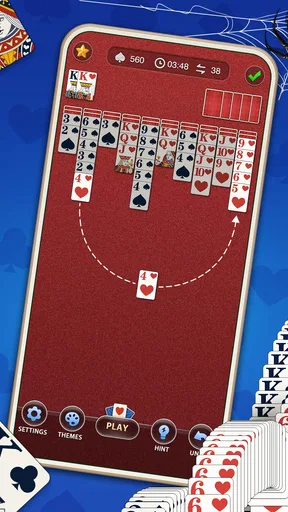
Visually, the app is a treat. The graphics are crisp and clear, making it easy to distinguish between suits and numbers. The animations are smooth, and the overall aesthetic is pleasing to the eye. The sound effects are subtle and add to the relaxing experience of playing a round of solitaire. If you prefer silence, you can easily mute the sound in the settings.
Connectivity and Offline Play
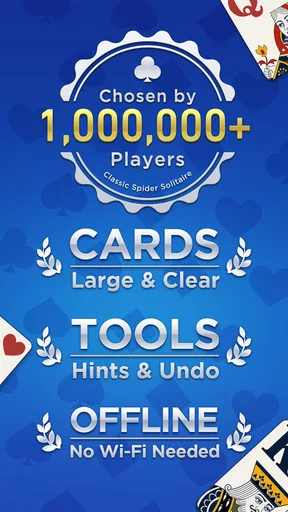
One thing I really appreciate about Daily Spider Solitaire Classic is its offline capability. You don’t need an internet connection to enjoy a game, making it perfect for those long flights or when you're somewhere without Wi-Fi. However, if you want to participate in the daily challenges and see your ranking on the leaderboard, you’ll need to be online.
User Experience
Overall, the app provides a seamless user experience. The controls are intuitive, whether you’re using a touchscreen or a larger tablet. The app is lightweight and doesn’t drain your battery, which is fantastic for those who like to play for extended periods.
While the app is ad-supported, the ads are not intrusive. They appear occasionally between games and can be skipped after a few seconds. If you prefer an ad-free experience, there’s an option to make a small in-app purchase to remove them entirely.
Final Thoughts
In conclusion, Daily Spider Solitaire Classic is a fantastic way to enjoy a classic card game on your mobile device. With its user-friendly interface, customizable features, and engaging daily challenges, it’s a perfect companion for both casual gamers and solitaire aficionados. Whether you’re looking to kill time or sharpen your strategic skills, this app has got you covered. So go ahead, download it, and start stacking those cards!
How I’d decide whether to keep it
I would give it a brief trial in the exact situations where I expect to use it: one quiet break, then perhaps a longer session when I have time to think through a deal. That helps answer a more useful question than “Is it popular?”—does the card size feel comfortable on my screen, and do I enjoy the pace enough to return? The game is listed for Android devices running version 6.0 or later, which is a practical compatibility point to check before installing on an older phone.
For a first session, I’d choose the gentler one-suit option and focus on uncovering cards rather than chasing a fast finish. Once the basic rhythm feels natural, moving to more suits gives each decision more weight. This gradual approach makes the range of difficulty meaningful: the easier setup can help a newcomer understand sequences, while a tougher one gives experienced players a reason to slow down and plan. If you find yourself making moves automatically, try pausing before each deal of new cards and see whether you can clear a column or reveal something first.
Small habits that make a solo card game feel better
A phone game competes with notifications and interruptions, so I’d treat each round as a self-contained pause rather than something that must be finished at all costs. If you have only a minute, start a hand when you’re comfortable leaving it unfinished; if you want a more focused session, silence the sound and give yourself time to inspect the layout. Being able to mute the effects is useful in a shared room, while the visual customization can make repeated sessions easier on the eyes. These are modest touches, but they matter when the same card table is where you spend most of your time.
There is also a useful distinction between a daily challenge and an ordinary round. A regular game is the natural choice when you simply want to play at your own pace. A daily puzzle adds a reason to return and, if you enjoy the social comparison, the leaderboard gives that routine a competitive edge. I would not make rankings the point of every session: they are better as an optional nudge than as a measure of whether you played well. If online access is inconvenient, the ordinary offline game is the more dependable choice for a trip or a place with poor connectivity.
How it compares with other familiar card games
Compared with Klondike-style solitaire, Spider asks me to manage longer sequences and think about the arrangement of multiple columns, so it can feel more like a planning puzzle than a quick, casual card flip. Compared with a physical deck, the phone version is easier to carry and lets me begin immediately, but it cannot offer the tactile feel of handling cards. And compared with a collection of different mobile games, this one is more appealing when I already know I want Spider Solitaire; it is not the choice I’d make if I wanted variety in one app.
That focus is valuable for a specific kind of player, but it also makes the decision straightforward. If you enjoy gradually improving at one familiar format, changing the difficulty gives you room to adjust the challenge without changing the basic game. If you get bored when a game repeats its central rules, no amount of card-back customization will turn it into a different genre. I’d choose a broader collection instead if variety matters more to me than returning to a single puzzle.
Questions I’d settle in ordinary use
Can I play without a connection? Yes: ordinary play works offline, while daily challenges and leaderboard participation require being online. Is there a way to make the display feel more personal? Card backs and backgrounds can be customized. Can I play quietly? The sound can be muted. Those answers cover the most practical concerns for someone deciding whether this can fit a commute, a waiting room, or a shared space.
Does free mean there are no costs to consider? No; the game is free to start, and optional in-app items fall within the listed price range. Does the rating mean every deal will be enjoyable? Not necessarily. Spider Solitaire includes layouts that demand patience, and a strong overall reception cannot remove that inherent difficulty. I’d install it for the card puzzle itself, not on the assumption that every session will be effortless or that purchases are required to make the basic appeal worthwhile.
My buy-or-skip verdict
My recommendation is to try it if you already like Spider Solitaire, want an easy-to-reach solo game, and are happy to spend your playtime on one kind of card puzzle. Its free entry lowers the commitment, and the mix of adjustable difficulty, personal touches, and an optional daily goal gives different sorts of players a few ways to approach the same core pastime. The best value here is the convenience of having a familiar game ready for spare moments, not an expectation of endless novelty.
I’d skip it if you need a story, multiplayer interaction, or a constant rotation of new mechanics. I would also avoid buying anything simply because it is offered: play first, decide what is missing from your experience, and spend only if an item addresses that specific preference. For me, that makes this a sensible, low-commitment pick for a solitaire fan, while leaving the choice of paying entirely dependent on how much the free play already suits your day.
Pros
- Simple and intuitive interface.
- Variety of difficulty levels.
- Offline play available.
- Minimal ads for free version.
- Lightweight and fast loading.
Cons
- Limited customization options.
- No multiplayer mode.
- Occasional repetitive gameplay.
- Lacks daily challenges.
- Graphics are quite basic.
FAQs for Daily Spider Solitaire Classic
What is Daily Spider Solitaire Classic?
Daily Spider Solitaire Classic is a digital version of the classic card game designed for both Android and iOS devices. It offers users the chance to play Spider Solitaire with a modern twist, providing daily challenges, customizable themes, and a user-friendly interface to enhance the gaming experience.
Is Daily Spider Solitaire Classic free to play?
Yes, Daily Spider Solitaire Classic is free to download and play. However, it may offer in-app purchases for additional features, themes, or ad-free experiences. These purchases are optional, and players can still enjoy the full game without spending money.
What features does Daily Spider Solitaire Classic offer?
The app includes various features such as daily challenges, multiple difficulty levels, customizable backgrounds, and card designs. It also provides an intuitive interface, hints, and undo options to help players improve their skills and enjoy the game at their own pace.
Does Daily Spider Solitaire Classic require an internet connection?
No, Daily Spider Solitaire Classic does not require an internet connection to play. You can enjoy the game offline, making it perfect for playing on the go or in areas with limited connectivity. However, an internet connection might be needed for updates or accessing certain features.
Are there any ads in Daily Spider Solitaire Classic?
Daily Spider Solitaire Classic may contain ads, as it is a free-to-play game. These ads can usually be removed through an in-app purchase. The advertisements help support the development and maintenance of the app, ensuring users receive regular updates and improvements.


